 UI eXtension Guides
Create calendar events from anywhere with UIX Broker
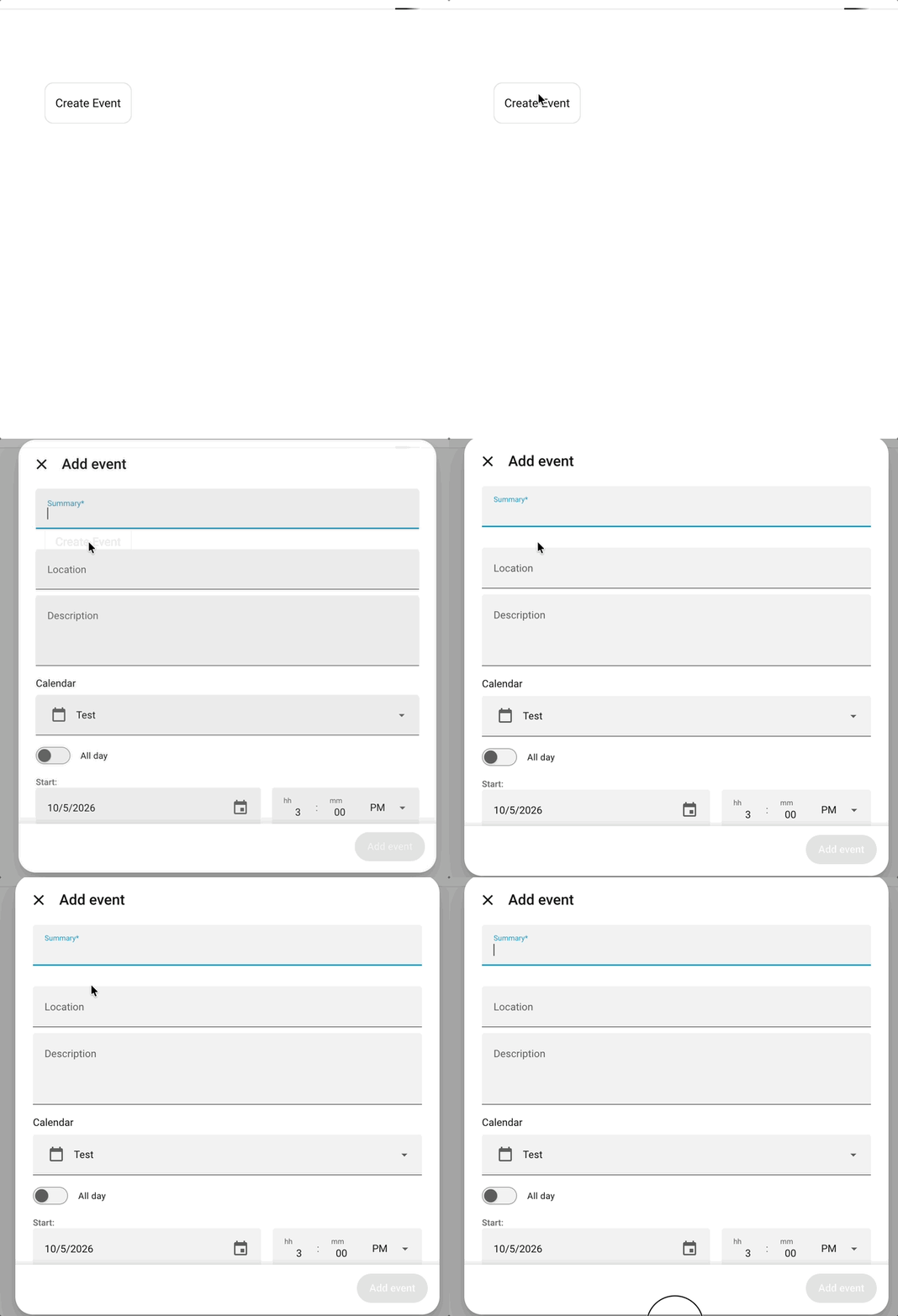
Home Assistant’s calendar page is a natural place to create an event, but the action can be useful wherever the context happens: a dashboard, a room view, or a button UIX Broker has added to an existing page. This UIX Broker interaction opens Home Assistant’s own Create Event dialog in response to a custom action.
Home Assistant 2026.10.0
Home Assistant 2026.10.0 makes a Create Event button available on the Calendar page again. Use that built-in button when the Calendar page is where you want to work. This method is still useful when the action belongs elsewhere, including on UIX Broker UI directives.
How it works
ha-full-calendar, the element that supplies the dialog, is loaded only when Home Assistant needs it. The interaction below loads it on demand, retains one hidden instance below home-assistant, and calls its internal create-event action. Keeping the instance there is important: Home Assistant receives the resulting show-dialog event from that part of the DOM.
The interaction listens for ll-custom, the event sent by a Lovelace fire-dom-event action. The uix_create_event: true value is the deliberately narrow flag that tells it to open the dialog.
Add the UIX Broker interaction
Add this under uix_broker: in the UIX Broker configuration, or put it in a registered UIX Broker YAML file.
uix_broker:
  - realm: browser
    listen: ll-custom
    anchor: "&home-assistant $$ partial-panel-resolver"
    rules:
      - "@captured.uix_create_event": true
    directives:
      - type: javascript
        id: uix-create-event-js
        code: |
          if (!window.customElements.get('ha-full-calendar')) {
            window.loadCardHelpers().then(helpers => {
              helpers.createCardElement({ type: "calendar" });
            });
          }

          const haShadow = document.querySelector("home-assistant").shadowRoot;
          window.customElements.whenDefined("ha-full-calendar").then(() => {
            let fullCalendar = haShadow.getElementById("uix-full-calendar");
            if (!fullCalendar) {
              fullCalendar = document.createElement("ha-full-calendar");
              fullCalendar.id = "uix-full-calendar";
              fullCalendar.style.display = "none";
              haShadow.appendChild(fullCalendar);
            }

            fullCalendar.hass = anchor.hass;
            // Unset _activeView so _createEvent works outside the calendar panel.
            fullCalendar._activeView = undefined;
            fullCalendar._createEvent();
          });
This uses Home Assistant frontend internals
The interaction calls the private _createEvent() method on Home Assistant’s calendar element. If a future frontend release changes that element or method, inspect the Calendar panel and adjust this interaction.
Trigger it from a dashboard card
Any frontend element that accepts a Lovelace action can trigger the interaction. For example, add the following to a standard Button card:
type: button
name: Create Event
icon: mdi:calendar-plus
tap_action:
  action: fire-dom-event
  uix_create_event: true
The same tap_action can be placed on another card, a custom card, or a card feature that supports actions. It does not need to be on a page containing a Calendar card.
Trigger it from a UIX Broker button
UIX Broker’s UI directives can use the very same action. Add this button directive to an existing interaction that puts controls where you want them; replace the after anchor with the element after which the button should appear.
- type: button
  after: "<anchor for the surrounding UI>"
  label: Create Event
  icon: mdi:calendar-plus
  tap_action:
    action: fire-dom-event
    uix_create_event: true
This is the advantage over relying solely on the Calendar page’s button: one reusable event handler can be called by any Home Assistant action surface, including UIX Broker UI directives.
Result
After reloading UIX Broker configuration, use the button or action. Home Assistant opens its native event form, where you select the target calendar and enter the event details.