 UI eXtension Guides
Modifying sidebar menu icon
Starting with UIX version 5.1.0, you can now apply --uix-icon to icons that do not have a parent of ha-icon. These are often icons which have a set purpose in the Home Assistant interface and are not able to be changed, unless you have UIX.
Generally modifying such icons is accomplished using UIX in your themes.
The example below changes the sidebar hamburger menu icon to the Home Assistant icon.
Home Assistant themes
If you are new to Home Assistant themes in general check out the https://www.home-assistant.io/integrations/frontend/.
If you already have any of the theme keys in your theme as yaml version, e.g. uix-sidebar-yaml,then you will need to adjust to include the CSS rules in your base element selector .:.
UIX Test:
  uix-theme: UIX Test
  uix-sidebar: |
    .menu > ha-icon-button {
      --uix-icon: hass:home-assistant;
      --uix-icon-color: var(--primary-color);
    }
  uix-top-app-bar-fixed: |
    slot[name="navigationIcon"] {
      --uix-icon: hass:home-assistant;
      --uix-icon-color: var(--primary-color);
    }
  uix-root-yaml: |
    .: |
      ha-menu-button[slot="navigationIcon"] {
        --uix-icon: hass:home-assistant;
        --uix-icon-color: var(--primary-color);
      }
  uix-profile-yaml: |
    "* $":
      hass-tabs-subpage $: |
        .toolbar.narrow > slot[name="toolbar"] {
          --uix-icon: hass:home-assistant;
          --uix-icon-color: var(--primary-color);
        }
Home Assistant output
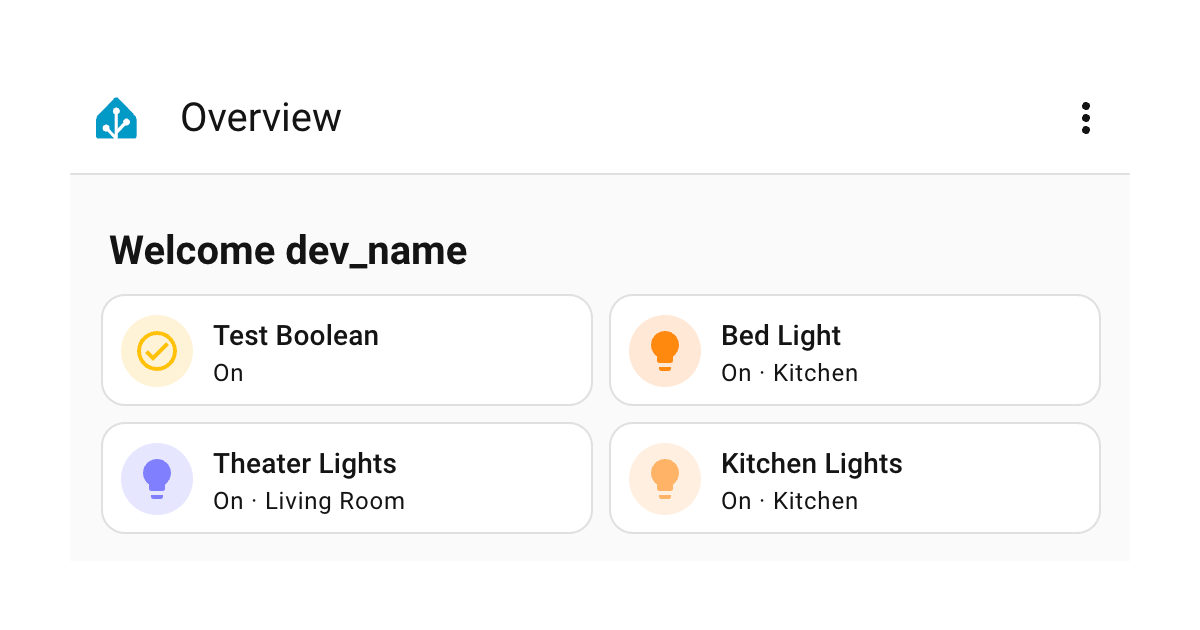
This has been tested on lovelace dashboard pages, config settings pages, and user profile. There may be additional panels, custom panels where this does not apply. If you have any updates please contribute.