 UI eXtension Guides
Hide more-info dialog header
Since Home Assistant 2026.3.0, more-info dialog uses an adaptive dialog (ha-adaptive-dialog), which includes either a standard dialog (ha-dialog) on larger screens or a bottom sheet (ha-bottom-sheet) on smaller screens. This guide shows how to target each type of dialog in order to hide the header.
In both cases, the parent dialog element is ha-adaptive-dialog. For the more-info dialog, UIX is applied in the light DOM of the adaptive dialog (ha-adaptive-dialog). To reach either dialog across the shadow root, the $ selector is required.
When the more-info dialog is ha-dialog, the full header item, ha-dialog-header, is in a slot in wa-dialog, which itself is in a shadow root of ha-dialog. The components used in ha-dialog-header are in slots in ha-dialog so styling these would not need crossing into ha-dialog shadow root.
When more-info is a bottom sheet (ha-bottom-sheet) the full header item, ha-dialog-header, is in a slot of ha-bottom-sheet.
Theme code hiding the more-info dialog header is shown below.
UIX Theme:
  uix-theme: UIX Theme

  uix-more-info-yaml: |
    "$":
      .: |
        ha-bottom-sheet slot:nth-of-type(1) ha-dialog-header
        {
          display: none;
        }
      "ha-dialog $": |
        wa-dialog slot:nth-of-type(1) ha-dialog-header {
          display: none;
        }
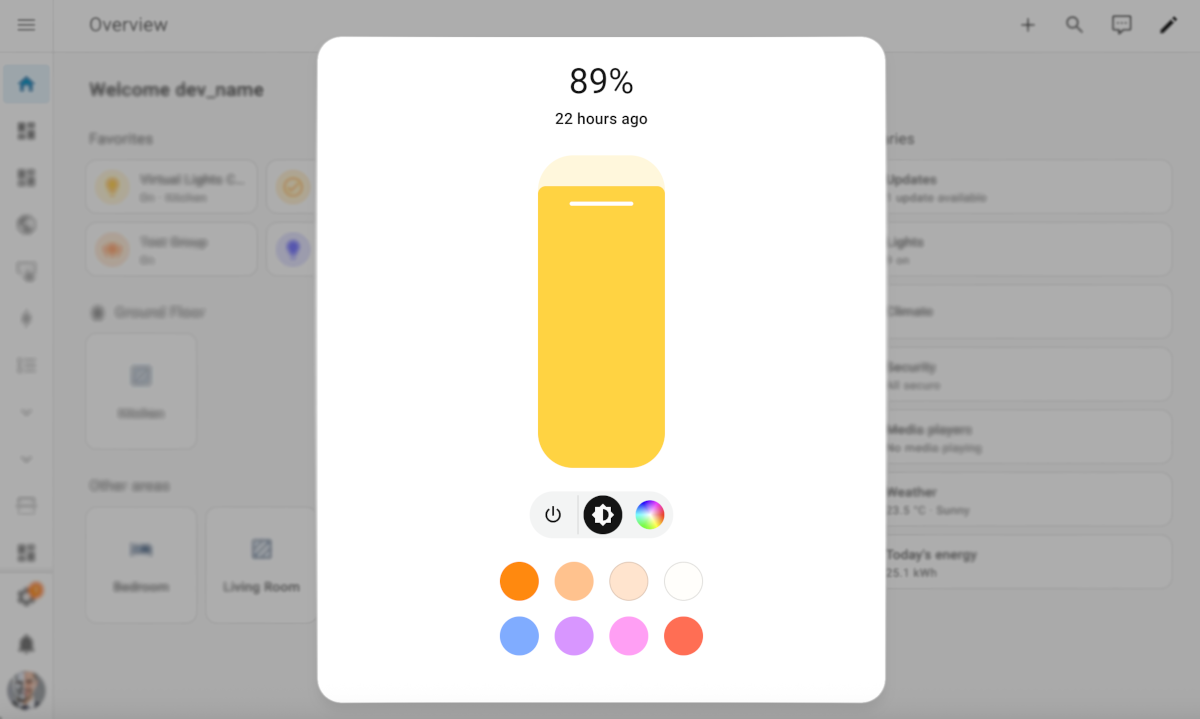
More-info dialog with header removed