 UI eXtension Guides
Getting shadowy with themes - using templates
Host/element selector
To save using a template just for type you can use the alternate method using Host/element selector
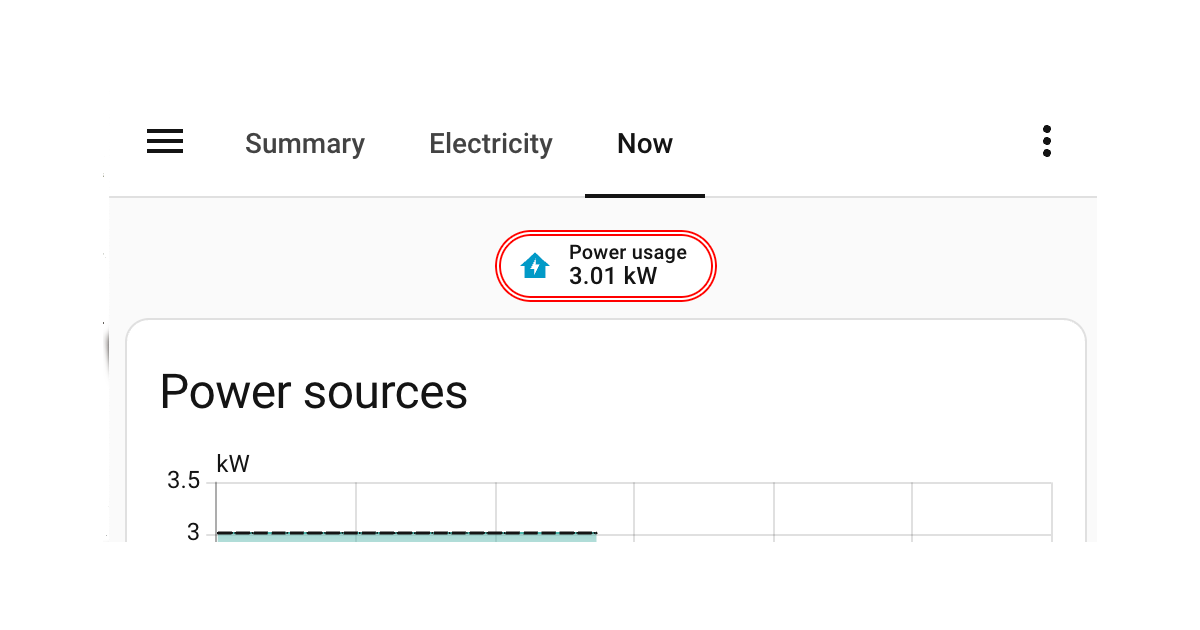
When using UI eXtension themes, often you can carry out all your styling by simple CSS targeting on the hosts class type. For example, see Styling Home Assistant 2026.3 energy now badges which uses a CSS target of :host(.type-power-total). However this will not work if you need to target an element directly in shadow root to target a property that is not styled with a CSS variable, or to inject keyframes into an element’s light DOM.
Continuing to use the power now badge on the built-in energy dashboard, the example below will change the border of the badge to double. This can only be done by styling in shadow root as the .badge class styling does not expose a CSS variable for border-style. Border color and width are styled on :host(.type-power-total) on the root element styling key .:, showing a good example of using both root and specific yaml keys with UIX yaml selection.
Config variable in templates
Every UIX template includes the variable config which is the element’s config. In all but very few cases, the config will include at least the element type as well as any user or strategy config. For this example, config.type == 'power-total'
Badge Theme:
  uix-theme: Badge Theme
  uix-badge-yaml: |
    .: |
      :host(.type-power-total) {
        --ha-card-border-width: 3px;
        --ha-card-border-color: red;
      }
    ha-badge $: |
      {% if config.type == 'power-total' %}
      .badge {
        border-style: double !important;
      }
      {% endif %}
Styled power now badge