 UI eXtension Guides
ha-icon-button changes for 2026.3
Home Assistant 2026.3 changes ha-icon-button from using mdc button to webawesome (ha-button). This means that all uses of --mdc-icon-button-size need to change to --ha-icon-button-size.
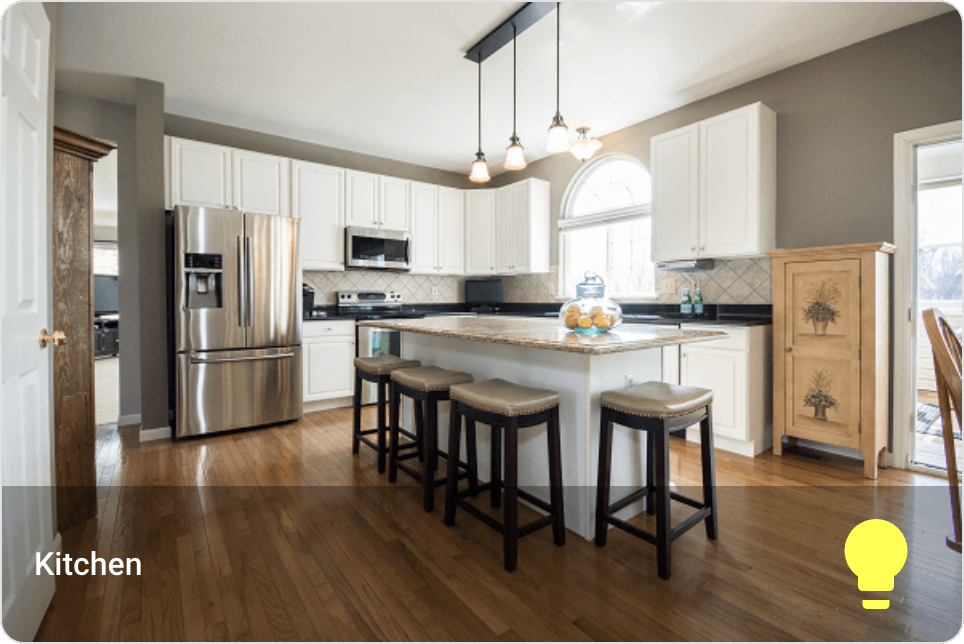
The example below changes the default size of the picture-glance entity button icon from 40px to 70px. The icon color is changed to yellow for example effect only.
UIX mods required:
- Change
--ha-icon-button-sizeto 70px from default of 40px. - Change
--mdc-icon-sizeto 54px from default of 24px. - Change icon button wrapper width to 70px from default of 40px.
type: picture-glance
title: Kitchen
image: https://demo.home-assistant.io/stub_config/kitchen.png
entities:
  - entity: light.kitchen_lights
uix:
  style: |
    .wrapper {
      width: 70px;
    }
    ha-icon-button {
      --ha-icon-button-size: 70px;
      --mdc-icon-size: 54px;
      color: yellow !important;
    }
Home Assistant output